Kubernetes, in a window that behaves like macOS.
Secrets you can read. Deployments you can scale. Logs that stream. K8Secret talks directly to your cluster's API — no Electron, no kubectl shim, no telemetry.
curl -fsSL https://raw.githubusercontent.com/jai-bhardwaj/k8secret/main/release/install.sh | bash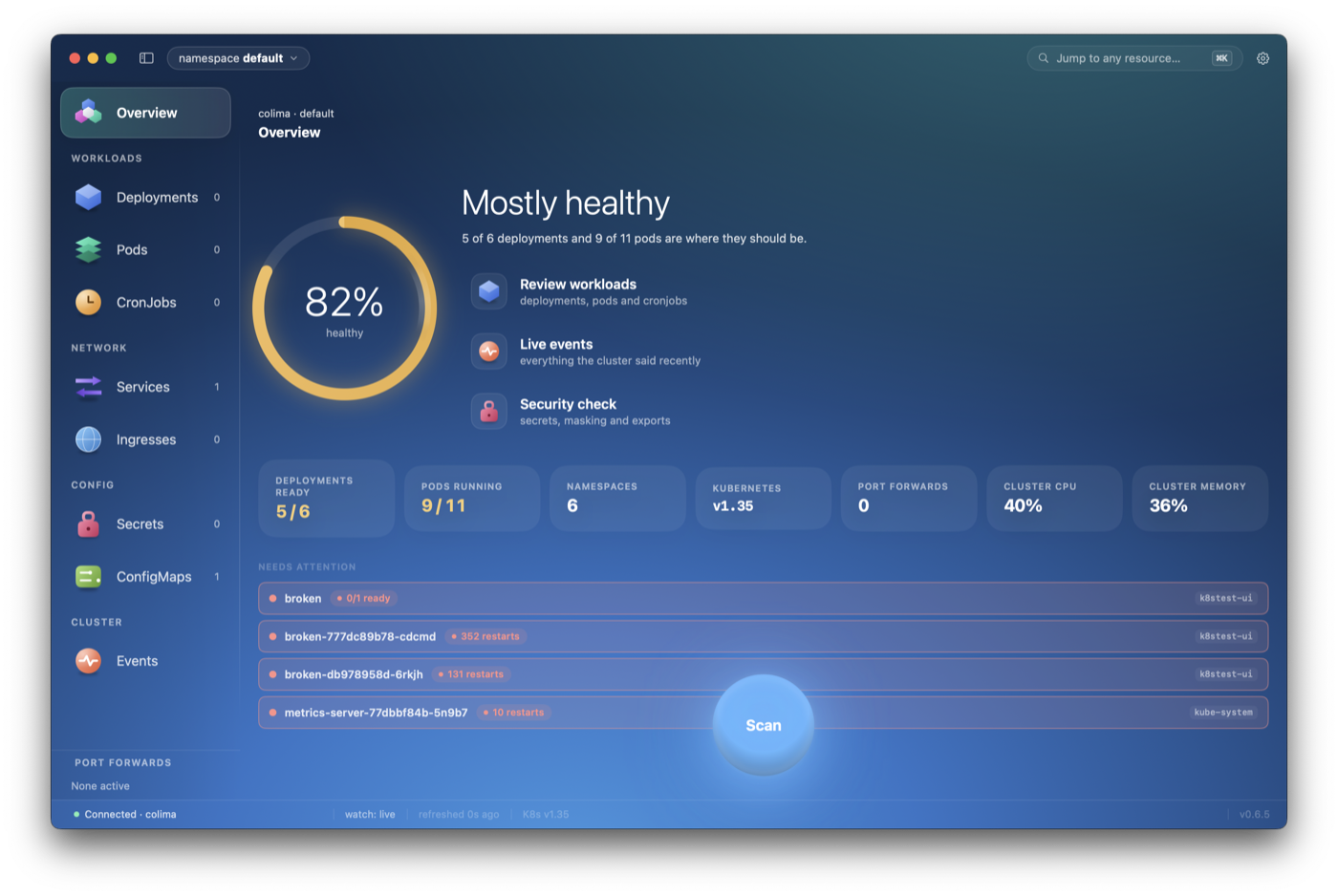
The K8s GUI you'd build for yourself.
Two existing options. The CLI gives you everything but makes secrets unreadable without piping through base64. The Electron tools render fine but boot slow, hog RAM, and don't feel like macOS apps. K8Secret splits the difference.
Stop base64-piping
Opaque secrets render as plain key/value pairs the moment you click them. Edit in place, reveal on click, bulk-import a .env. Stop running kubectl get secret -o yaml | base64 -d on a loop.
Native, not Electron
Written in Swift. Talks to the K8s API directly through your kubeconfig — no kubectl shell-out except for port-forwards. Boots in under a second. Cmd-tab-able. Real macOS keyboard navigation.
Multi-cluster, multi-window
Open staging and production side by side. Each window remembers its context and a custom tint. Compare without flipping kubeconfig contexts. Stop holding cluster names in your head.
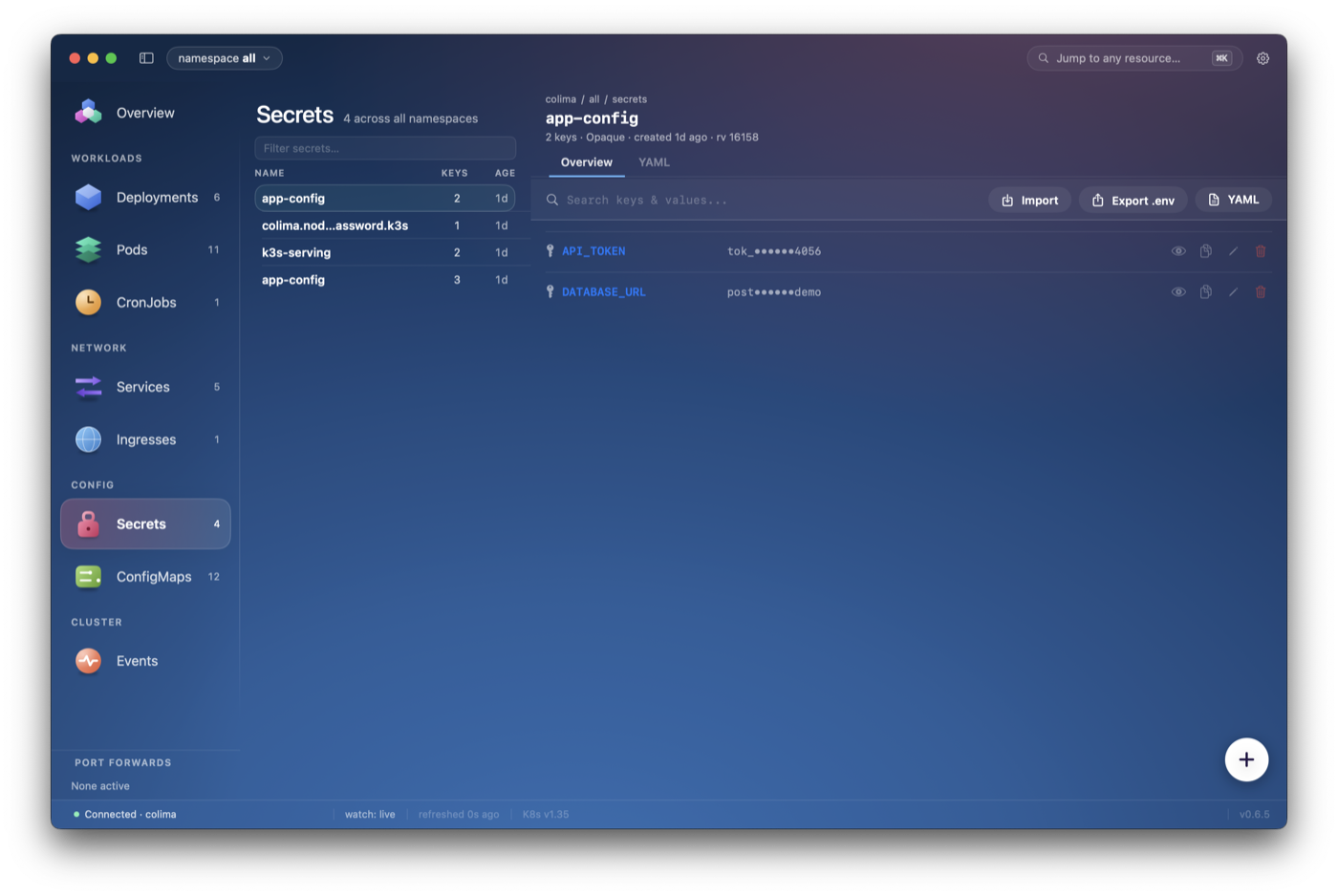
Decoded inline. No more base64 chains.
Opaque secrets render as readable key/value pairs the moment you select them, masked until you ask. Edit in place, staged locally and applied as one atomic merge-patch on the version you read — so either every change lands or none does, and a conflict is a conflict rather than a silent overwrite.
- Inline reveal on click — never accidentally screenshot a secret you forgot you opened
- Bulk import from .env, JSON, or paste — diff preview before commit
- Per-key search across an entire secret, across namespaces
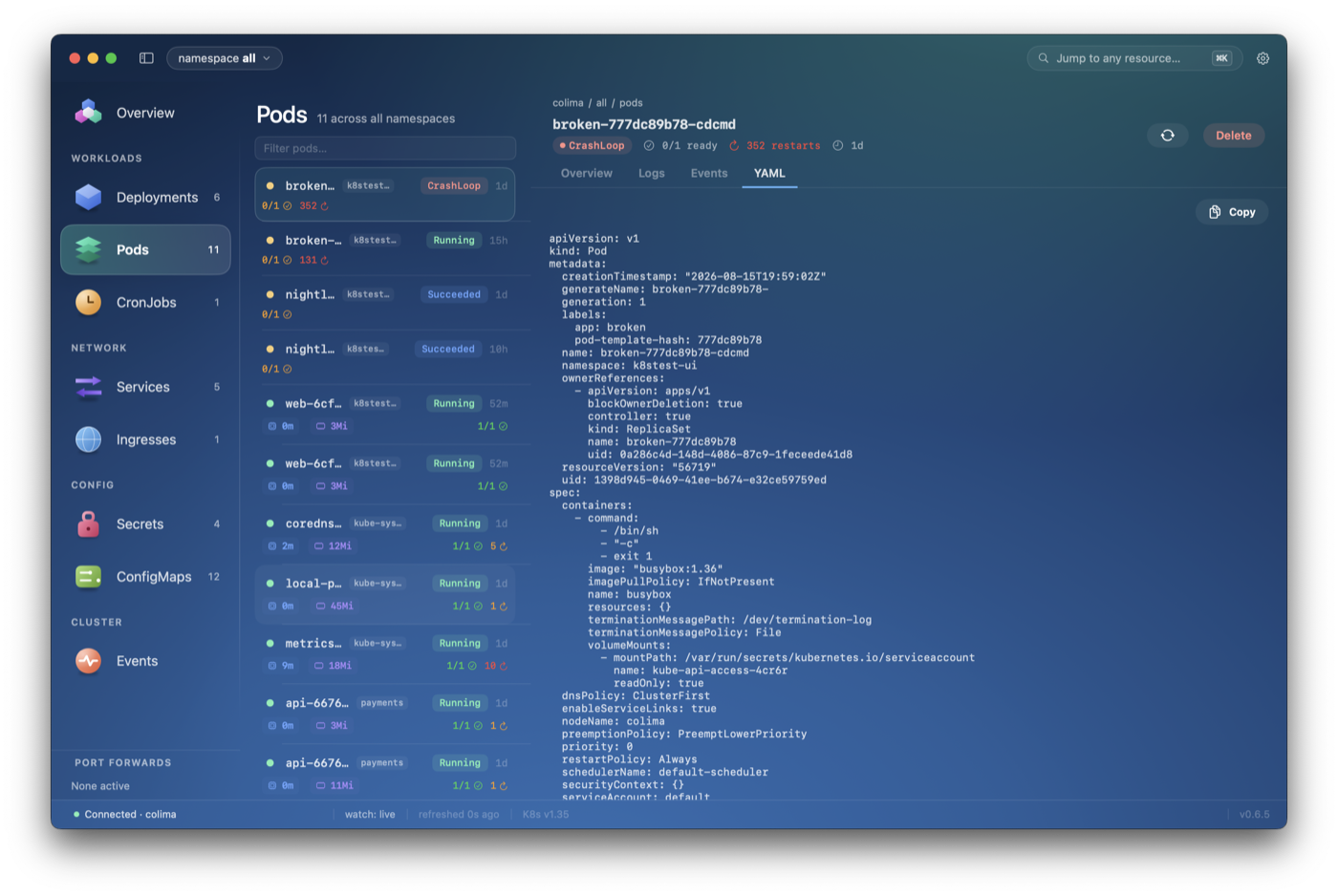
The live manifest, a tab away.
Every resource shows what the API server actually returns — not a rendering of what the app parsed — with managedFields dropped the way kubectl drops it. Secret values stay redacted there: base64 is not encryption, and opening a tab is not asking to see them.
- Copy the manifest as the server has it, in one click
- Editable for secrets, applied as one write on the version you opened
- Logs stream in their own window, with search and severity filters
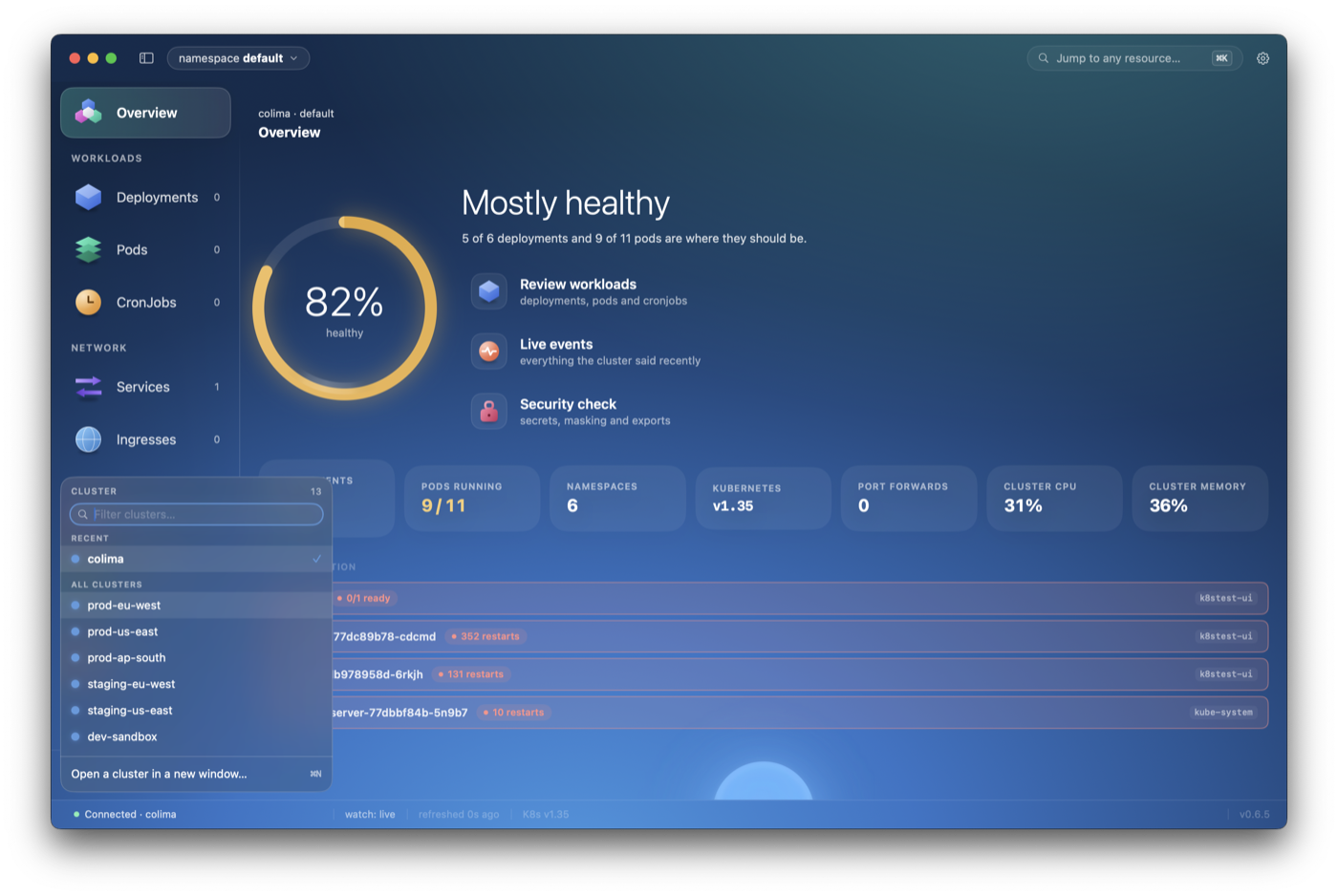
One window, one cluster, its own colour.
⌘N opens a chooser rather than a second window onto the same place. Open ten if you like — each window keeps its own cluster, namespace, scope and selection, and the colour you give a cluster paints its whole window, so the one showing production is unmistakable from across the room.
- Filter clusters and namespaces by name, with counts beside them
- The clusters you actually use sort to the top
- ⌘K jumps to any resource in any namespace
The detail view a real engineer needs.
CPU and memory against the pod's own requests, restarts, placement, containers and events. Everything kubectl describe shows, in a window you can scan at a glance — and a rollout is a ring that fills rather than a spinner that spins.
- CPU/mem against requests and limits — see throttling before it hurts
- Owner chain (Deployment → ReplicaSet → Pod) is one click away
- Events feed for the pod and its containers
The day-to-day things that add up.
One TLS connection per cluster. No middleman.
K8Secret reads your ~/.kube/config, opens a TLS connection straight to each cluster's API server, and stays there. It doesn't shell out to kubectl (except for port-forwards), doesn't proxy through an Electron sandbox, doesn't ship your credentials to anyone.
Hands on keyboard. No surprises.
The one-liner in the hero runs a small shell script — under 100 lines, no obfuscation — that you can read on GitHub before pasting. Here's exactly what it does, in order:
- Fetches
release/latest.jsonfrom the repo to learn the current version + DMG URL. - Downloads the signed
.dmgfrom GitHub Releases (HTTPS, served from GitHub's CDN). - Mounts the DMG silently with
hdiutiland copiesK8Secret.appinto/Applications. - Strips the
com.apple.quarantineattribute so macOS Gatekeeper doesn't prompt on first launch. - Re-signs ad-hoc with
codesign, unmounts the DMG, deletes the temp file. - That's it. No daemons, no PATH changes, no LaunchAgents, no phone-home.
The fine print.
- Platform
- macOS 14+
- Language
- Swift · SwiftUI
- License
- MIT
- Telemetry
- None
- Auth
- kubeconfig
- Updates
- In-app banner
- Clusters
- Multi (N windows)
- Size
- ~6 MB DMG
macOS is just the first window.
Quick answers.
Will macOS Gatekeeper block it?
No. The DMG is ad-hoc signed and the installer strips the quarantine bit before launch, so you won't see a Gatekeeper prompt. The trade-off: no Apple-issued notarization (yet), which would require a paid developer account.
Do I need kubectl installed?
Only for port-forwarding. K8Secret talks to the Kubernetes API directly for everything else — list pods, scale deployments, view secrets, stream logs. Port-forward shells out to kubectl because re-implementing SPDY/SPDY-over-WebSocket inside the app isn't worth the bytes.
Does it phone home?
No telemetry, no crash reporting, no analytics. The only outbound calls are (1) to your own cluster API servers, and (2) to raw.githubusercontent.com to check the update manifest on launch. You can disable the update check by editing one constant in source.
Multi-cluster?
Yes. Open as many windows as you have contexts. Each window remembers its cluster and an optional tint color, so prod and staging are instantly distinguishable. The sidebar shows all your contexts; switch with a dropdown or cmd-key.
Which auth methods work?
Anything kubeconfig supports: bearer tokens, client certs, and exec credential plugins (AWS IAM Authenticator, gke-gcloud-auth-plugin, etc). If kubectl works against your cluster, K8Secret works.
When are Windows and Linux coming?
When the macOS app has settled and the architecture has earned the right to port. The current Swift codebase has Mac-specific bits (NavigationSplitView, native menus) — porting cleanly means picking a cross-platform UI stack that doesn't feel like Electron. Updates on the GitHub repo.